Overview
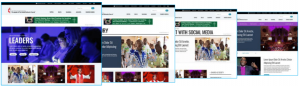
ResourceUMC.org features a large variety of content and content types. As the site launches, content will be organized into the following sections (reflected in the main navigation):
- Topics
- Roles
- Season (Seasonal)
- Agencies
- Church Bodies
Each area of the site, including the home page, will display content based on configurations made both to the section via Experience Editor (see number 3 under UMC BASICS>Launchpad) and individual pieces of content.
Site administrators will make configurations on Home, Category, Intermediate, Campaign, and Agency pages via various data settings. Once these “parent” pages are configured, individual pages will appear based on the dynamic or curated data settings of each component on the page(s).
To ensure content appears in the appropriate section of the site, careful consideration must be made to every piece of content’s Tags, Categories, Regions, and other taxonomies.
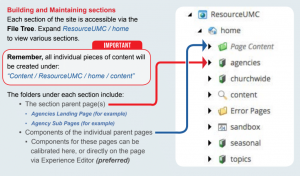
Page Content
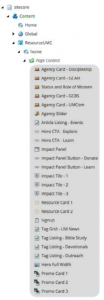
Every Page Template offers a different set of editable “Components” or display areas. These components appear in a subfolder of the page called “Page Content.”
The image to the right (Image 1) displays every editable Component on the ResourceUMC.org Home page.
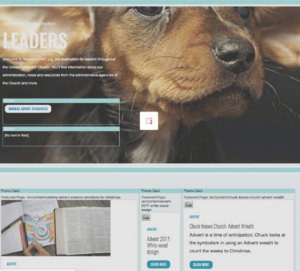
While changes to the various components can be made here, it is much simpler to make most changes via the Experience Editor (Image 2).
By clicking specific outlined areas (light blue boxes), various data and display options become editable. By setting specific qualifiers, these pages will populate with content whose Category, Tag, Publish Date, or other setting match the specified data or display type.
A supplemental training document for this area will be available during 1-on-1 training for site Administrators.