Content Components
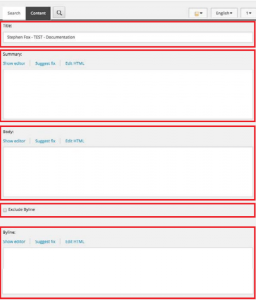
Next, you’ll be able to populate various fields for the content. Required data fields are indicated by “*”
* Title – This is the name of the article as it will be displayed across the site.
Summary – This is a brief summary that will be displayed where the article is referenced elsewhere in the site. Also the default SEO meta description.
* Body – Article content. Use “Show Editor” to edit your article content, add formatting are necessary
Exclude Byline – Remove/Hide byline option on article attribution
Byline– Byline attribution
- This byline will not display if “Exclude Byline” is checked
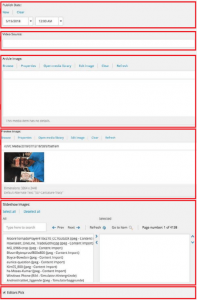
*Publish Date– Here, articles can be set to publish in the future, or alterthe publish date to move items up and down within the chronologically
Video ID – A unique video identifier available via various video platforms. On YouTube, this ID can be located after “?v=” in the url. The video ID is highlighted in the example url below https://ww.youtube.com/watch?v=uBYzYji4rmE”
Article Image– Select an image to be displayed at the top of the article. This is also the default “Preview Image” unless a specific Preview Image is chosen.
Preview Image– If the hero contains a video or a slideshow (or if you wish to override the Article Image), select an image here for display elsewhere on the site.
Slideshow Images – Create a slideshow by searching for and selecting desired photography
- Search functionality is reliant on image title; Due to this, it is advisable to create a list of files from Asset Bank before assembling a slideshow.
- Slideshows should not exceed 12 images
Editor’s Picks – Check this box to add this article to the various “Editors’ Picks” areas throughout the site.
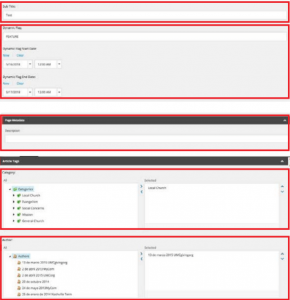
Subtitle – Not Currently Available
Dynamic Flag – Add “FEATURED” or other special indicators to the large, main article on the home page; While this field supports any short text, it is advisable to limit Dynamic Flags to a few recurring indicators (Featured, for example).
Dynamic Flag Start/End Date – Begin displaying Dynamic Flag on “Start” date and remove Flag on “End” date. This flag can say anything entered in the “Dynamic Flag” field.
Page Metadata – SEO metadata fields including keywords, page title and description.
* Categories– Appropriate category or categories. When selecting a child category, the parent must be selected as well. The topmost category in the selected field will be displayed when the article is referenced across the site.
* Author – A field for selecting the content author.
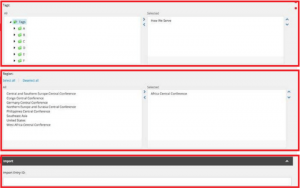
* Tags– Add specific tags, which allow articles to display within taxonomy-specific fields. Good for identifying *where* a story took place.
Regions – Display content based on regional interest (not necessarily story location)
Import ID – Not Currently Available