PURPOSE OF TUTORIAL:
To equip contributors to ResourceUMC.org with the necessary training to create content which is affiliated with a specific United Methodist Church Agency. This solution is a temporary process while a more user-friendly option is programmed.
NOTES:
This tutorial demonstrates how to create Agency Content pages for the United Methodist Communications agency (Communications, for short). Additional training and assets will be created as we move toward creating entries associated with other Agency pages.
DO NOT use this template if you are building a redirect/stub. You will only use it when adding a new article to Sitecore. Everything here is on the PRODUCTION website/content editor.
- Search for Title: communications agency template
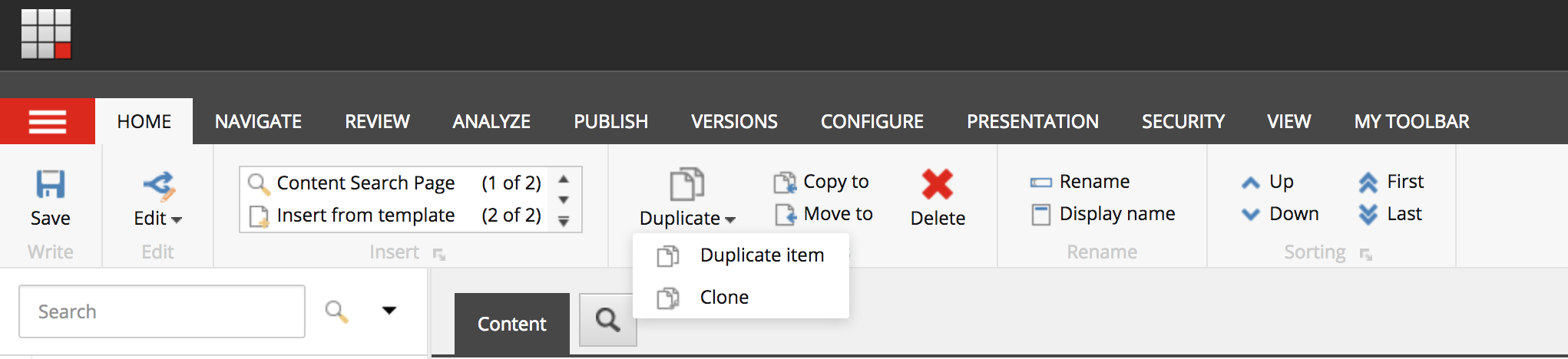
- From the “HOME” tab within the Content Editor Ribbon, click “Duplicate” and select “Duplicate Item” from the dropdown (image 1, below).
- After a brief pause, the Content Editor will reload to a copy of the “communications agency template” item.
- Close the original “communications agency template” content, and begin work editing the duplicate entry:
- Rename the item with the title of the new article
- Proceed building the article as you normally would
This should bring in the Communications agency navigation to the article page.
IMAGE 1