Code Snippets
Available HTML snippets are at http://umc.org/snippets
To add a full-width inline image:
- Click on the HTML tab at the bottom of the Rich Text Editor.
- Copy the Full Width Image Snippet from the link above
- Place your cursor where you want to insert the image; do not place it within a containing <P></P> tag pair.
- Paste the Snippet.
- Click on the Design tab at the bottom
To replace the placeholder image, click once on the placeholder, then click on the Insert Sitecore Media icon.

This will take you to the Insert Media Item window (Image 1). Click on the Search tab, then use the search box to look for the image you wish to place. Select it and click the insert button.
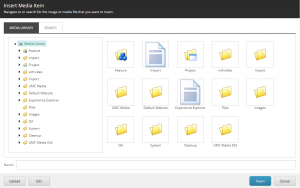
Note: There are other ways you can replace the placeholder image, but they are not reccomended. Please use the method described above.